IT asset tracking and helpdesk for institutions

Inventory in a day,
not a month.
And not a single lost ticket

Every device lives in one database with its specs and its history, and every request carries a status and an owner. And when the sysadmin goes on holiday or leaves for good, the records stay with the institution instead of walking out of the door with them.

+ sign up in one minute + no card required + Free forever

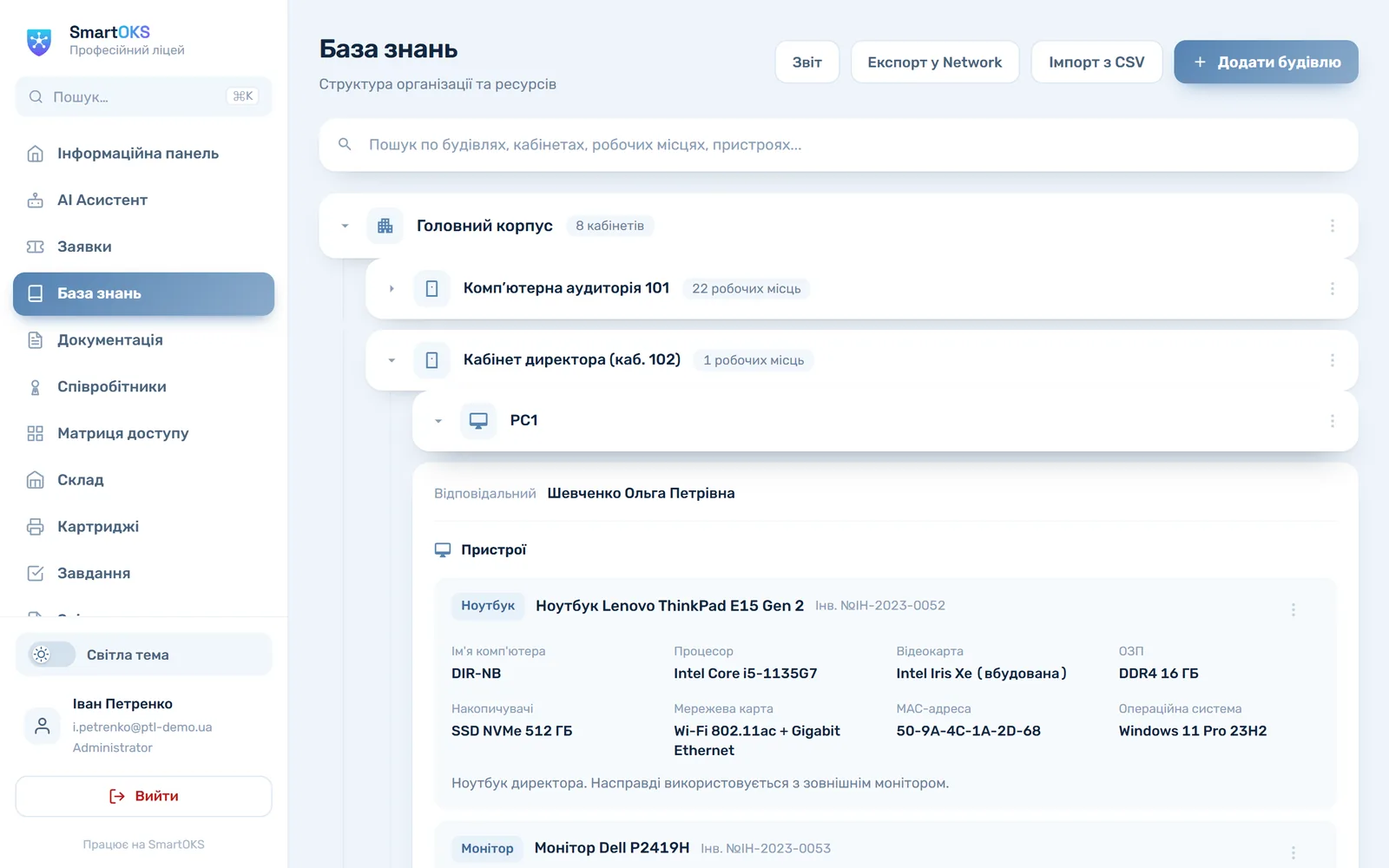
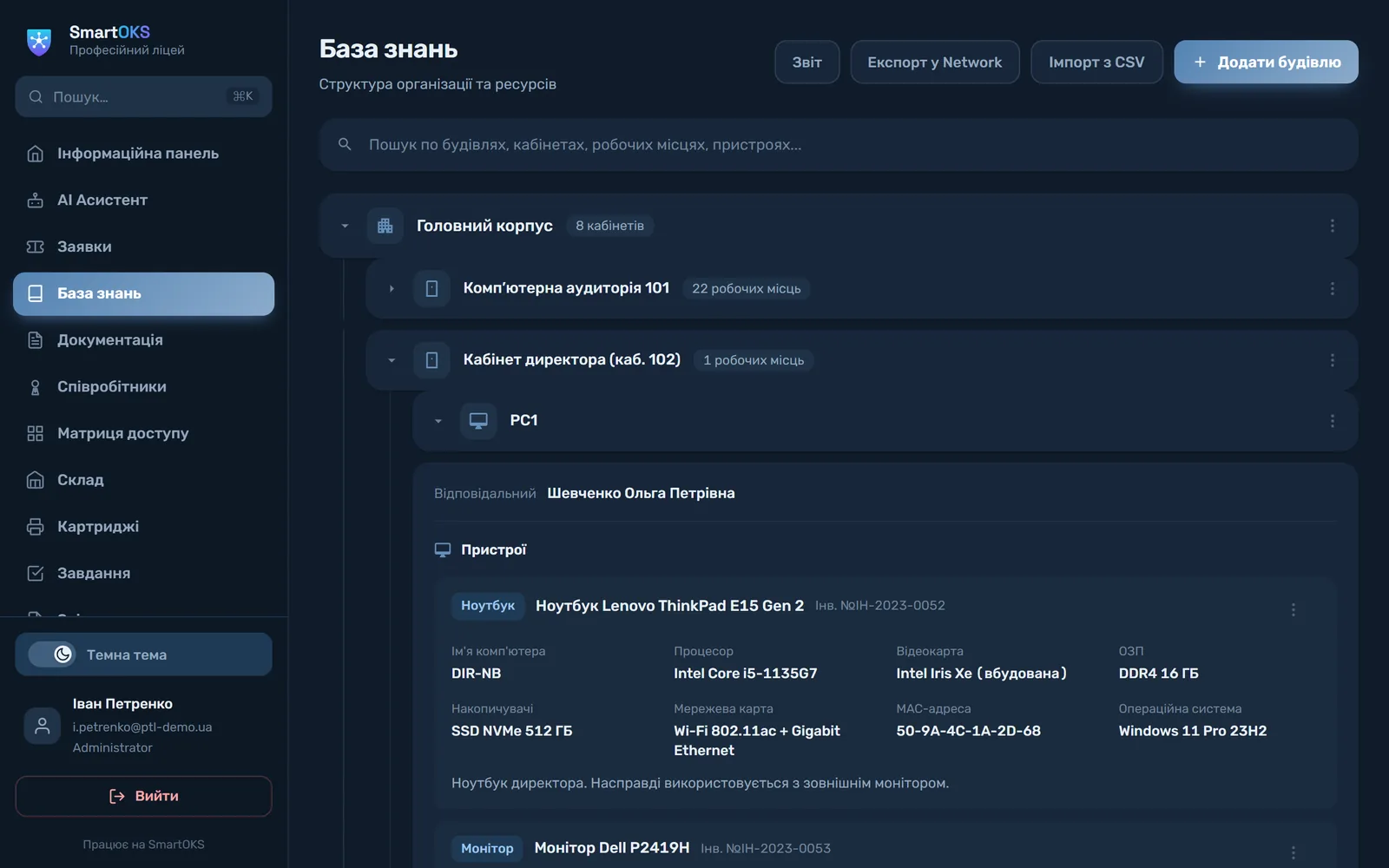
Knowledge base · infrastructure map ● screenshot from the app
SmartOKS knowledge base: Main building → Director's office → workstation PC1 with a laptop, a monitor and their specifications SmartOKS knowledge base: Main building → Director's office → workstation PC1 with a laptop, a monitor and their specifications
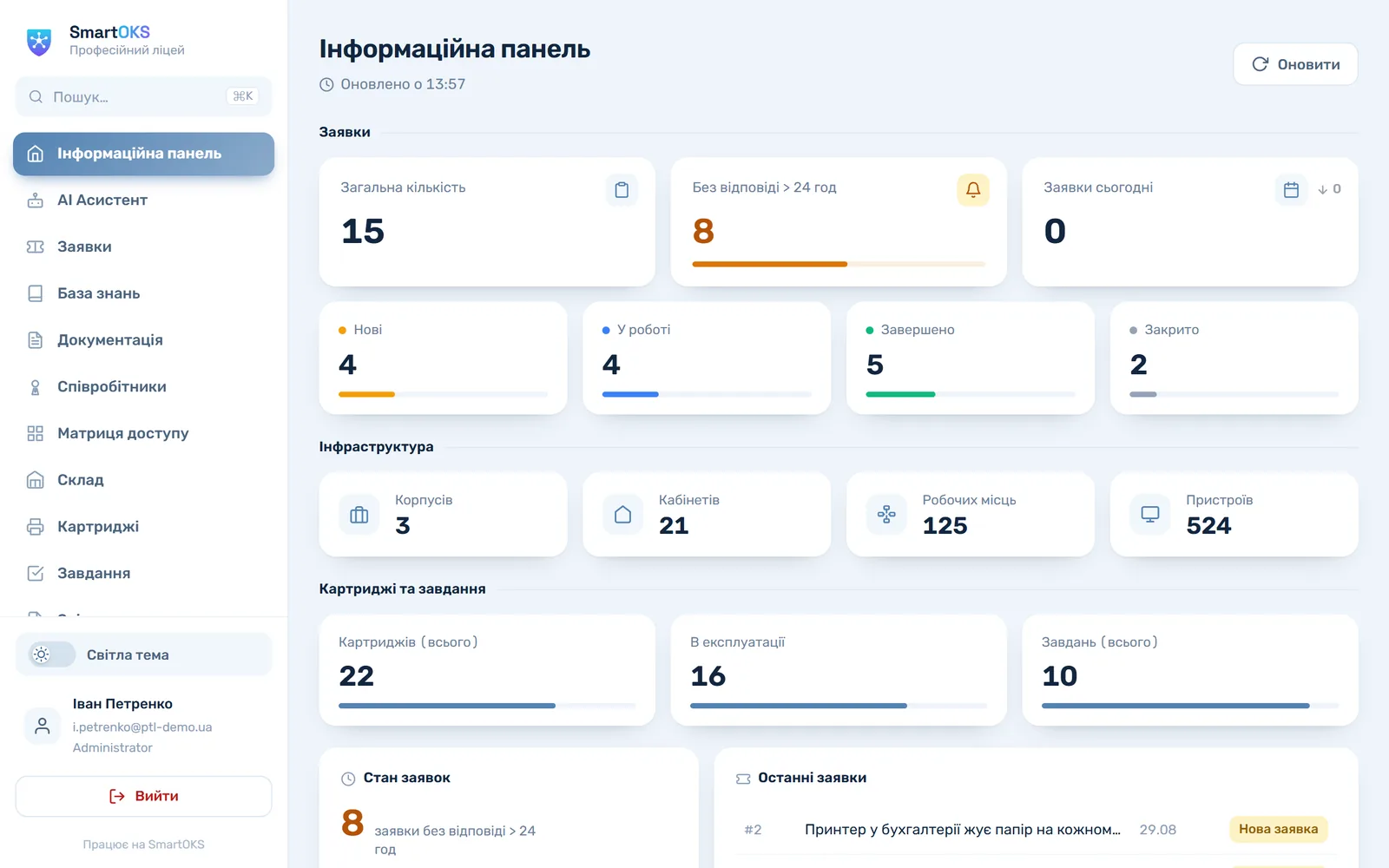
3 buildings · 21 rooms 125 workstations ● 524 devices on record
400+
Tickets per year at one customer
2.5 h
To close a typical ticket at KAFK
1 day
Time to roll out
9
PC specs collected by the agent
Tickets: public form + Telegram Automatic inventory via agent Excel / CSV import Reports for auditors and finance Cartridges and consumables AI assistant on your own data Paperwork for public-sector budgets
— 01 Sound familiar?

Spreadsheets, group chats and one sysadmin's memory

It works right up until something happens. An audit, a resignation or even a fortnight of annual leave, and the whole thing falls apart.

01

The institution's memory lives in one head

Network diagrams, repair history and the answer to "which printer is where" live in the sysadmin's head and personal files. Leave, sick days or a resignation, and the institution goes blind.

02

Requests drown in chat threads

"Come and take a look", phone calls, Viber, sticky notes on the monitor. What has been done, what fell through the cracks and how much work IT actually does — nobody knows.

03

Inventory is an annual scramble

A week of walking the rooms with printouts, and the spreadsheet still does not match reality. The committee waits, the schedule is drawn up by hand, and a year later it all happens again.

→ The fix

SmartOKS turns that into a system: records that fill themselves in, and tickets that cannot get lost.

— 02 SmartOKS Agent · New

Records that
fill themselves in

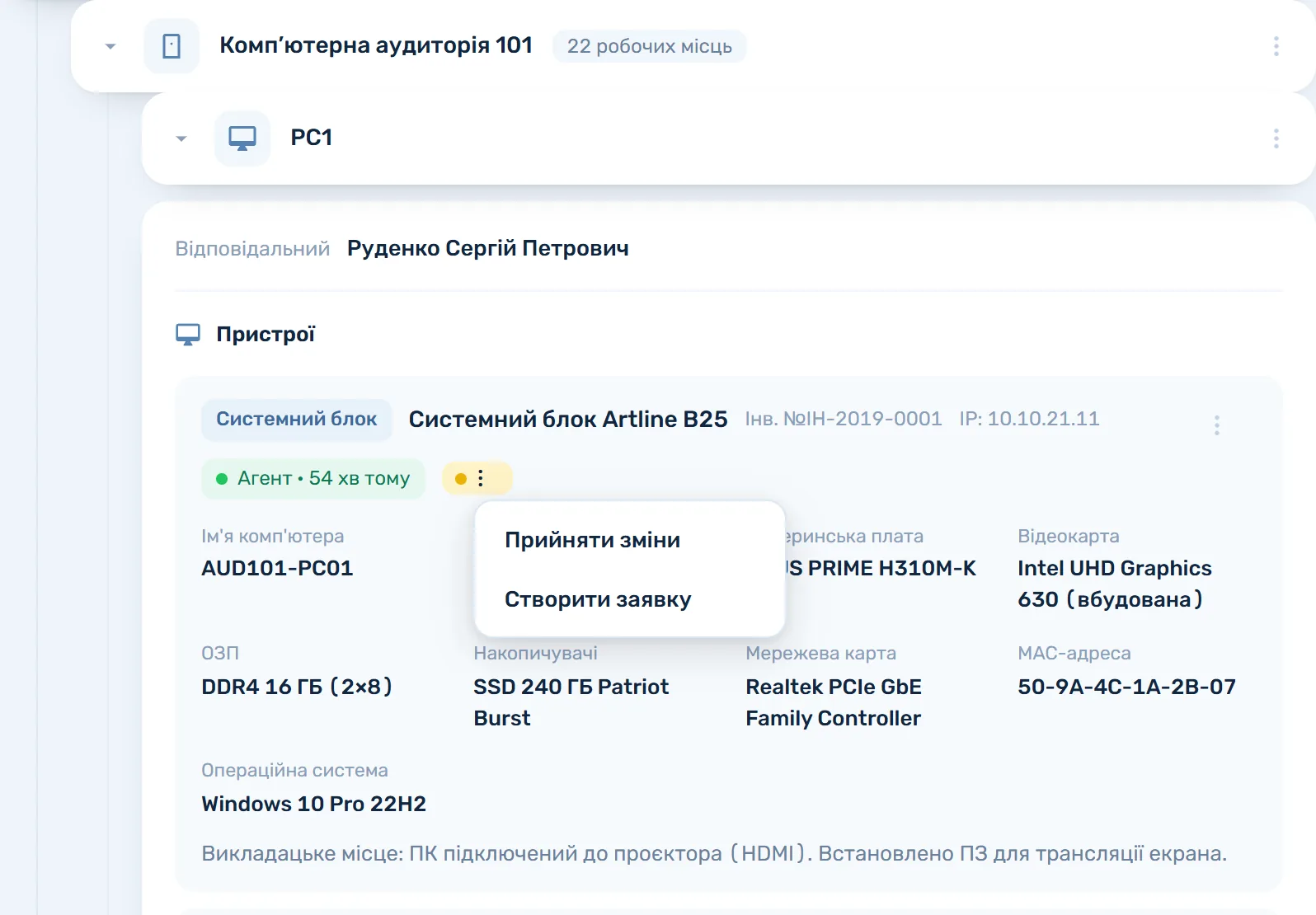
A small Windows program is linked to a device card by scanning a QR code, which takes about a minute. After that it runs without you: every time the computer starts up it reports its own specifications back to the database.

  • CPU, memory, drives, network and OS — nine fields on the device card
  • A swapped memory stick or drive is recorded automatically, with change history
  • Old PCs and Windows 7: import an HWiNFO or AIDA64 report in two clicks
  • Updates itself, runs in the background, never bothers the user
SmartOKS Agent · AUD101-PC01 ● online
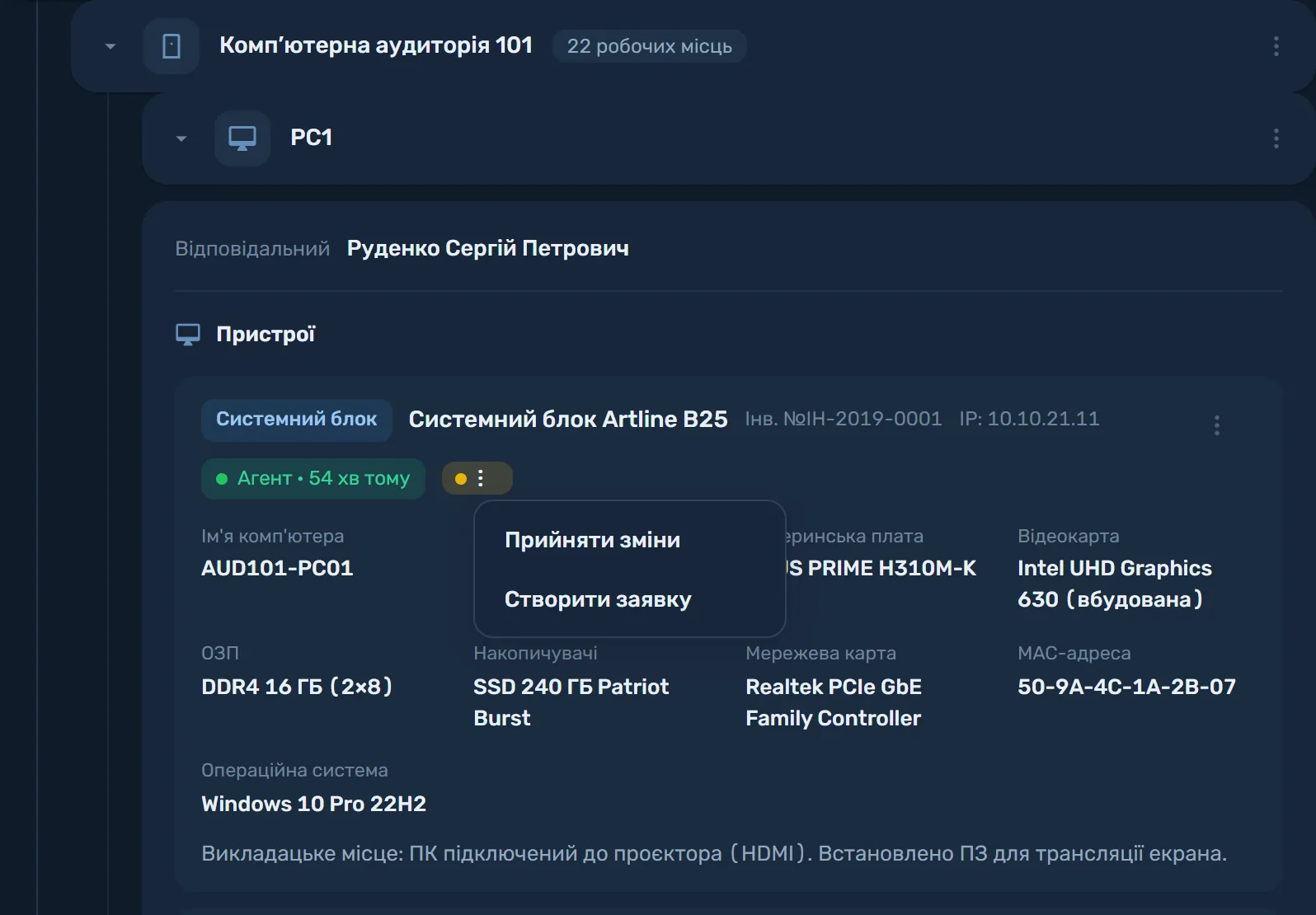
A desktop PC card in the knowledge base: the “Agent · online” badge, nine PC specifications and the “Accept changes / Create a ticket” menu after a configuration change A desktop PC card in the knowledge base: the “Agent · online” badge, nine PC specifications and the “Accept changes / Create a ticket” menu after a configuration change
9 fields, filled automatically RAM upgrade kept in history ● No manual entry
— 03 Platform

Every tool in one place

Modules covering the full cycle of IT management in your organization.

01All plans

Tickets · Helpdesk

Staff submit requests through a public form or Telegram — no registration, no training. Every ticket gets a status, a priority and an owner; view them as a list or on a Kanban board. Losing a request is not possible.

02All plans

Knowledge base · Asset tracking

A hierarchical map: buildings → rooms → workstations → devices, with specifications, serial numbers and asset tags. Load your starting data from CSV templates, with the file checked before anything is written to the records.

03Education · Pro · New

SmartOKS Agent

A Windows program that fills in the records for you: on every start-up the PC reports its specifications to its own device card. Linking takes a minute with a QR scan. For older computers, import an HWiNFO or AIDA64 report instead.

04Education · Pro

Consumables tracking

Cartridges, toner and consumables by printer and by location: stock levels, refills, transfers and spend analytics. You can finally see where the cartridges you bought actually go.

05Education · Pro

AI assistant

Analyses your own data — tickets, equipment, knowledge base — and answers internal questions in natural language. Up to 200 requests a month on Education, unlimited on Pro.

06Education · Pro

Reports · PDF and Excel

Reports on equipment, tickets and consumables for auditors, finance and management. What used to take a full day to assemble now exports in minutes.
07

Documentation · Wiki New

A Confluence-style wiki for the IT department: hierarchical pages, a rich-text editor, nested sections. Procedures, standards and team knowledge stay with the institution rather than in someone's personal files.

All plans
08

For the IT team: task Kanban and an access matrix

Internal department work sits on a Kanban board with checklists and comments (Education and above). The access matrix (Pro) is a visual table of permissions: which staff member can reach which of the organization's services.

Education · Pro

Want to see it in action? We will run a demo built around your case — free, no strings attached.

Create an organization → Request a demo
— 04 AI assistant

Answers from your data,
not from the internet

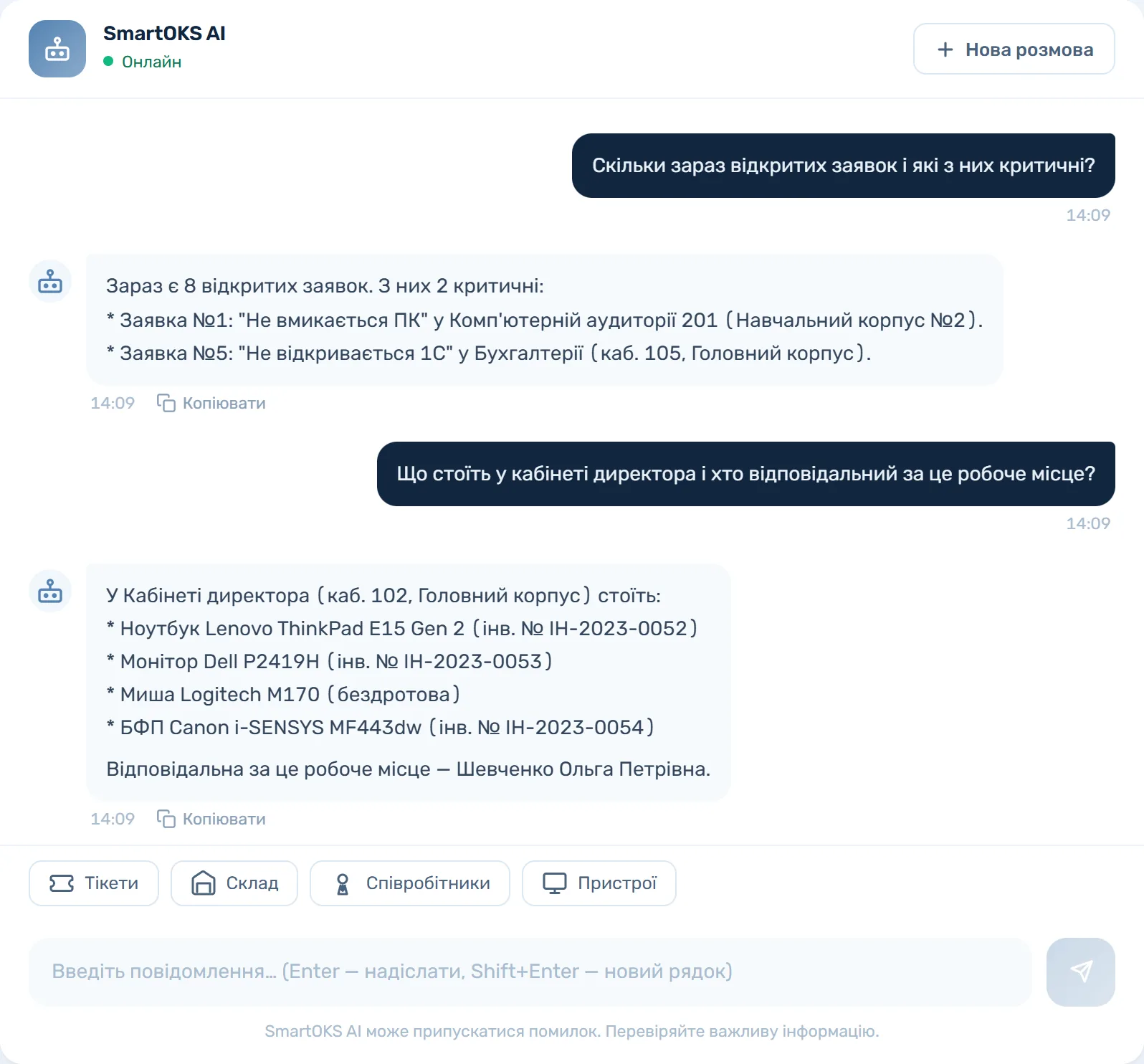
The SmartOKS AI assistant works on the real data of your organization. It knows the status of your tickets, where each printer stands and what the knowledge base says. Ask, and get an answer in seconds.

  • Your organization's context: tickets, equipment, knowledge base
  • Natural language — ask the way you would ask a colleague
  • Your data is not used for training without your permission
  • 200 requests a month on Education, unlimited on Pro
AI assistant ● Online
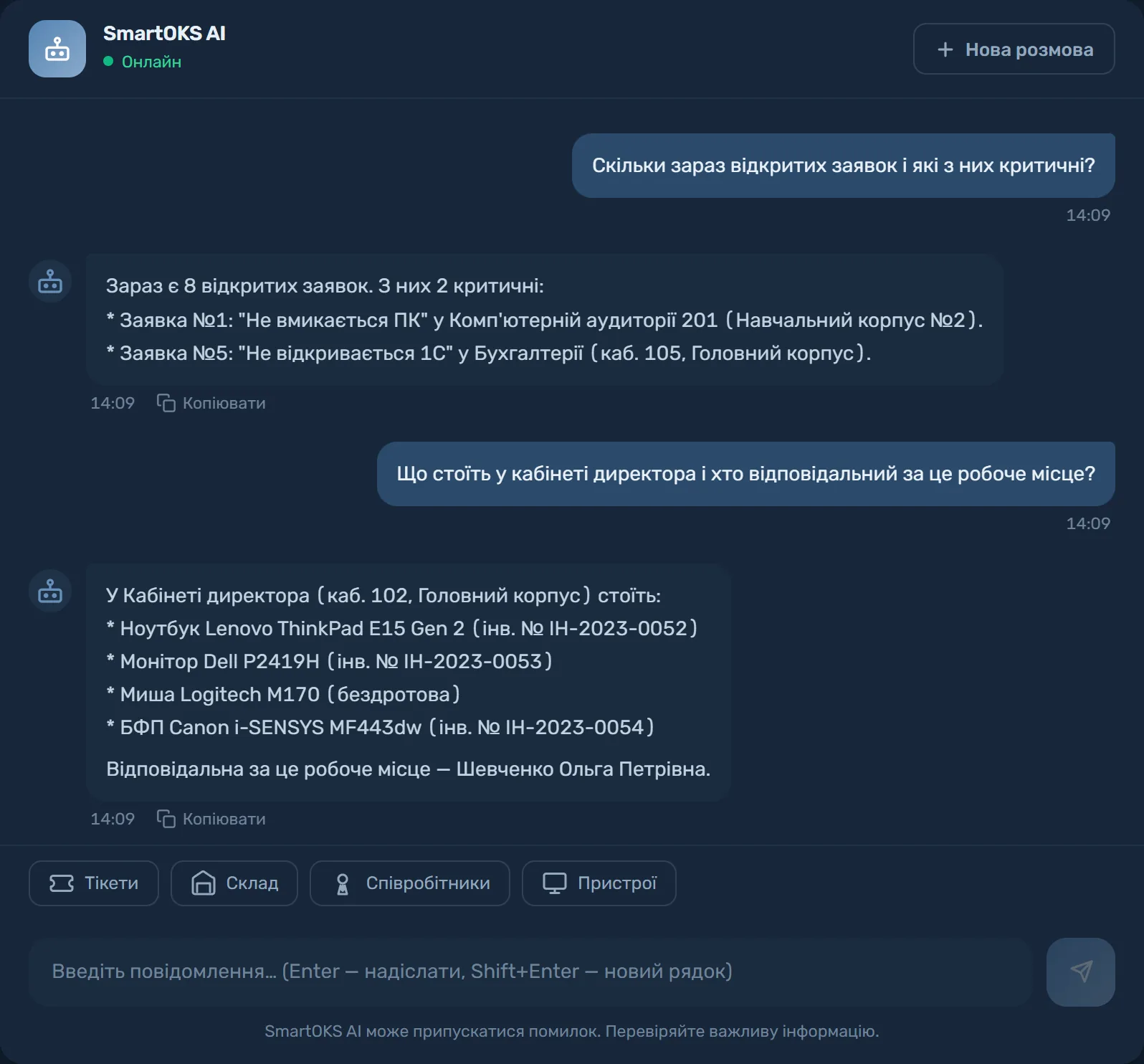
A conversation with the SmartOKS AI assistant: how many tickets are open and which are critical; what is in the director's office and who is responsible for the workstation A conversation with the SmartOKS AI assistant: how many tickets are open and which are critical; what is in the director's office and who is responsible for the workstation
Tickets · equipment · stock · documentation ● Answers in seconds
— 05 Institutional memory

Knowledge stays with the institution,
even when people leave

Wiki documentation, the history of every ticket and the card of every device live in the system rather than in the administrator's personal files. A new IT hire takes over in a day instead of piecing the picture together for six months.

  • Standards, procedures and network diagrams as hierarchical pages with an editor
  • Ticket and maintenance history is kept indefinitely
  • Onboarding a new colleague takes days, not months
  • The data is yours: export to CSV or JSON at any time
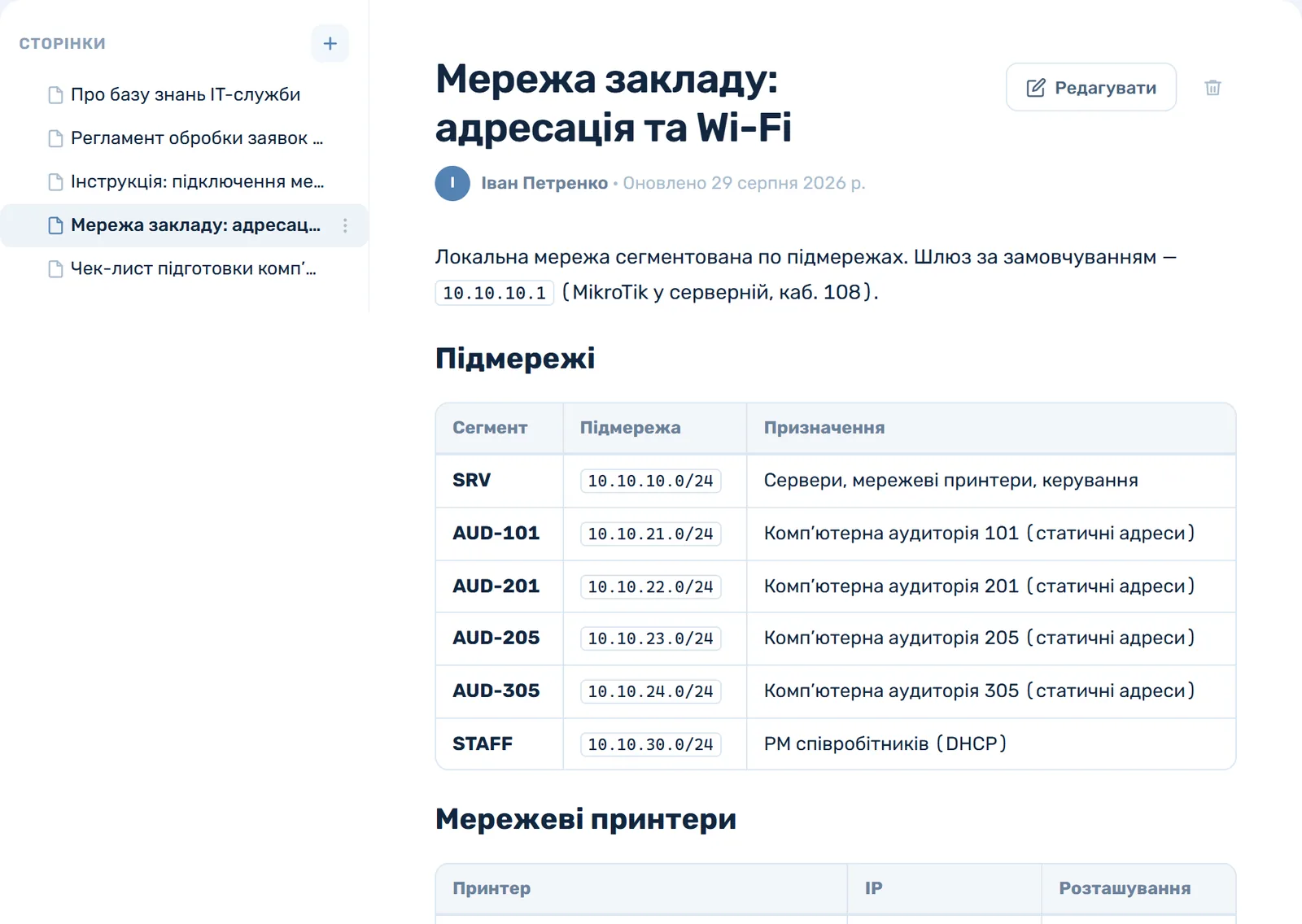
Documentation · Campus network ● screenshot from the app
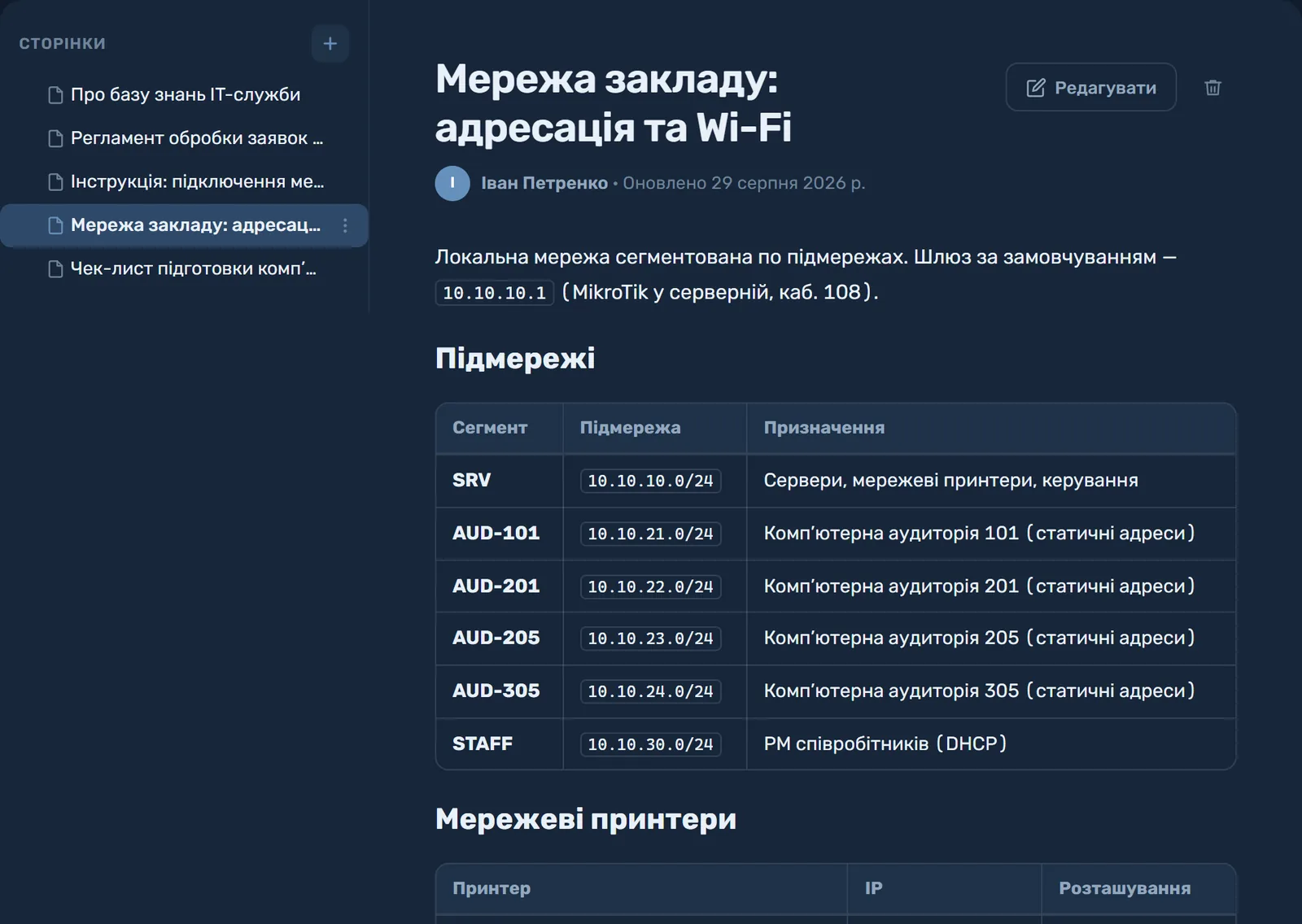
SmartOKS documentation: the page “Campus network: addressing and Wi-Fi” with subnet and network printer tables SmartOKS documentation: the page “Campus network: addressing and Wi-Fi” with subnet and network printer tables
Nested pages Tables, code, images ● Readable by the whole team
— 06 For the director

Oversight of assets and of IT —
without wading into detail

SmartOKS gives a director what a spreadsheet cannot: confidence that assets are accounted for, that requests are not being lost, and that the department's work is visible in numbers — none of it dependent on a single person.

  • Reports on the equipment fleet and the department's work in minutes, not "a day set aside for it"
  • Every item of equipment carries an asset number and a place in the institution's structure
  • The database and its history belong to the institution, whoever comes and goes
  • Bank transfer in hryvnia with the full document set your finance office needs
Dashboard · the state of things ● for the director
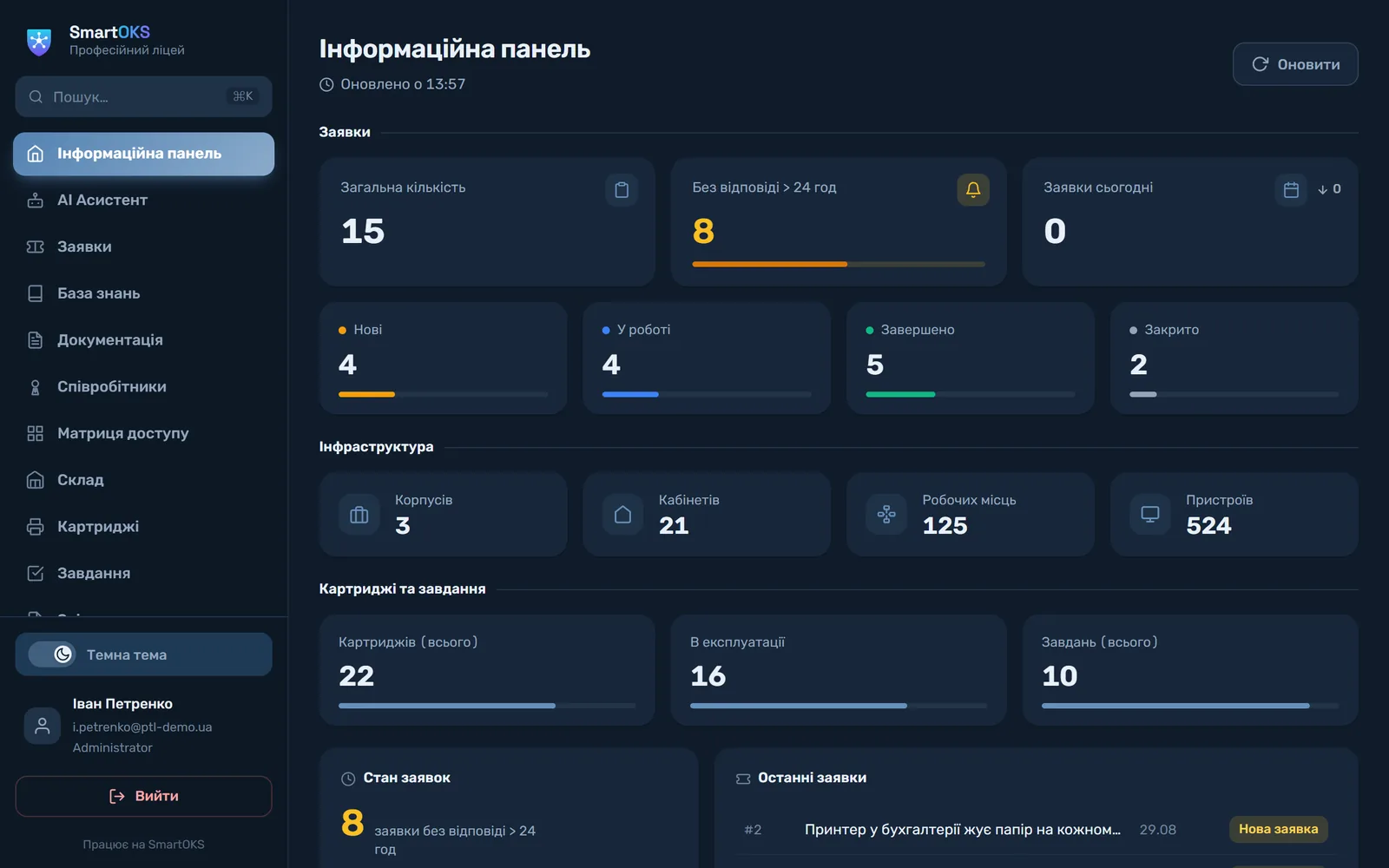
SmartOKS dashboard: tickets by status, unanswered for more than 24 hours, buildings, rooms, workstations, devices, cartridges and tasks SmartOKS dashboard: tickets by status, unanswered for more than 24 hours, buildings, rooms, workstations, devices, cartridges and tasks
Contract · invoice · certificate of completion Budget code KEKV 2240 · bank transfer in hryvnia ● NDA on request
— 07 Who it is for

SmartOKS fits your organization

From small institutions to sprawling networks, the platform adapts to your size and your specifics.

01

Schools and colleges

Schools, colleges, universities. Track computer labs, take requests from teaching staff, document the network, analyse spending.

02

Corporate IT departments

Companies with IT teams of one to fifty-plus. One system for every request, work shared between owners, Kanban for planning.

03

IT outsourcing providers

Serving several clients? Each gets its own subdomain, isolated data and a workable knowledge base of procedures.

04

Healthcare institutions

Hospitals, clinics, medical centres. Track medical equipment, handle repair and maintenance requests, document the hardware.

05

Public sector and culture

Administrations, libraries, cultural centres. Transparent asset records, formal documentation, reports for management.

06

Networks and holdings

Several branches or divisions? The Enterprise plan brings individual terms, custom integrations and dedicated support.

Ready to try it in your organization? Set up your system in a minute — or let us run a demo around your case, free and with no strings attached.

Create an organization → Request a demo
— 08 Trusted by

"In a year on the system we handled more than 400 tickets. The time to close a typical one fell from two days to two and a half hours. Our sysadmin stopped forgetting tasks — everything is in one window. Onboarding new staff got much faster too."

Alla College director

"Students file requests through Telegram — no training needed, they are all there already. The AI assistant tells me instantly where a given machine is, so I no longer wander the buildings hunting for a printer."

Bohdan System administrator

Partners and recognition

— 09 Comparison

SmartOKS vs. what you use today

An honest comparison against the real alternatives: spreadsheets plus chat, and free GLPI that you have to host yourself.

Capability SmartOKS Excel / Google Sheets Viber / Telegram + email GLPI
Asset records with a history for every deviceManual, goes stale
PC specifications update themselves (Agent)Yes, via a separate agent
Tickets with statuses, owners and reportingLost in the thread
Reports for auditors and management in minutesAssembled by handPartly
AI assistant on your organization's data
No server of your own to run and maintainOwn server or paid cloud
Live in one dayDays to weeks of setup
The database survives the admin resigningFiles on a personal driveHistory in someone else's chatOnly if someone maintains it
Ukrainian-language support + institutional paperworkPaid support, not in Ukrainian

Convinced? Set up your own system for free.

Create an organization → Request a demo
Offer · until 1 November 2026

Run this year's inventory in SmartOKS already

For educational and public-sector institutions that sign up before 1 November: the full Education plan free until 31 December. Get ready for the inventory at no cost this year, and put the payment into next year's budget.

The Free plan stays free forever, offer or no offer. Cancel any time; your data can always be exported.

  1. 01

    Sign up before 1 November and get Education free until 31 December straight away.

  2. 02

    Send us your Excel files and within 48 hours we hand back a ready-to-use database.

  3. 03

    Run the inventory in the system. If it works for you, budget it for 2027 and start paying in January.

— 10 Pricing

SmartOKS pricing

Start at the level you need and scale up without migrations or changes to your processes.

Monthly Annually −17% · two months free
Free
Try it on your organization's real data
0 UAH 0 UAH
/ forever
/ forever

1 user · up to 30 workstations · basic records. No card needed.

  • 1 system user
  • Up to 30 workstations
  • Up to 100 tickets
  • Documentation (wiki)
  • Stock (up to 50 items)
  • AI assistant
  • Cartridges
  • Kanban
Create for free
Pro
Large organizations (200+ workstations) and IT outsourcers
1 690 UAH 1 408 UAH
/ month
/ month, billed annually
16,900 UAH / year — saves 3,380 UAH

Unlimited users and workstations · API · email notifications.

  • Unlimited users
  • Unlimited workstations
  • Everything in Education
  • Email notifications
  • 7 reports in PDF and Excel
  • API access
  • Your logo and colour — in the interface, reports and emails
Create an organization Need an invoice? Request a demo
Enterprise
Branch networks, IT outsourcers with 5+ clients
Custom
by agreement

Non-standard requirements, integrations, on-premise. Individual terms.

  • Everything in Pro
  • Multi-org dashboard (on request)
  • AD/LDAP integration (on request)
  • On-premise option
  • NDA and a bespoke contract
  • Support SLA
Free forever — try it on your own data Live in one day — we help with setup Bank transfer · certificate + invoice (budget code KEKV 2240) Cancel at any time
— 11 Frequently asked

Frequently asked questions

SmartOKS is a single control centre for an organization's IT: tickets, equipment, workstations, printer consumables, a wiki knowledge base and an AI assistant in one system. It replaces the sprawl of spreadsheets and group chats with transparency and control.
Any organization with a fleet of equipment: companies, schools and colleges, healthcare and public-sector institutions, IT outsourcing providers. Our deepest experience is with institutions of 50–300 workstations run by a small IT team of one or two people.
Your organization's data is stored on secure cloud servers. Each organization gets an isolated space (multi-tenancy): its own database and its own subdomain. Details are in the privacy policy.
The AI assistant analyses your organization's data (tickets, equipment, knowledge base) and answers questions in natural language. It works strictly on your data. Available from the Education plan (200 requests a month); unlimited on Pro. It is not available on the Free plan.
Leave your details in the form below (name, email, phone). We reply within one business day and prepare a personal demo of about 30 minutes together with a rollout plan. A pilot of up to four weeks is free.
A reply within one business day → we agree a time for a demo of about 30 minutes → we walk through the system against your scenarios → then a pilot: onboarding the team, importing your starting data, first metrics. A pilot of up to four weeks is free.
Yes. The system ships with CSV templates and a built-in file check that runs before anything is written to the records, so errors show up in advance rather than after the import. Or simply send us your Excel files and we will hand back a ready-to-use database within 48 hours.
Free (0 UAH, forever): 1 user, 30 workstations, 100 tickets, stock of up to 50 items; no AI assistant, no cartridges, no Kanban. Education (890 UAH/month): 10 users, 150 workstations, unlimited tickets, cartridges, AI with 200 requests a month, Kanban. Pro (1690 UAH/month): everything unlimited plus email notifications and API. Enterprise is priced individually for networks and IT outsourcers.
Basic deployment takes one day: we create the organization, its subdomain and user access. A full turnkey setup (location structure, importing the equipment list, access roles) takes three to seven business days. Most organizations are using the system properly within the first week.
Yes. Each organization has its own isolated database and subdomain, so data belonging to different customers is physically separated. Access is strictly through role-based authentication. The AI assistant does not pass data to third parties and does not use it for training without your permission.
Cancel at any time, with no penalties and no paperwork. Access remains until the end of the paid period. If you want to take your data with you, we provide an export in standard formats (CSV, JSON) before the account is closed.
Yes, we work by bank transfer: we provide a contract, an invoice and a certificate of completed work. Ukrainian public-sector budgets use expenditure code KEKV 2240 (other services), the standard code for SaaS subscriptions. An annual subscription can be paid in a single payment. A contract with an NDA is no problem.
No. SmartOKS is an internal tool for managing IT infrastructure (tickets, equipment, consumables), not an educational platform or a system that processes data about visitors. Separate approvals, including from the Ministry of Education for schools, are not required: the decision rests with the head of the institution as part of internal management.
Not a problem. SmartOKS is a web interface adapted for phones: the sysadmin works over mobile data, and staff submit requests from their own smartphones through your organization's public request form — no registration and nothing to install. The desktop view is only needed by administrators and management, who usually do have WiFi in their offices.
Equipment of any age can be tracked. The automatic agent requires Windows 10 or newer; for older machines, including Windows 7, specifications come from an HWiNFO or AIDA64 report — the file is generated on the PC itself and uploaded to the device card in two clicks. Cyrillic text, older report formats and trial versions of those tools are all supported. You can check your own report with the free online tool PC passport (in Ukrainian).
— 12 Contact

Let us start with a demo

Pick whichever channel suits you. We will put together a scenario for your organization and start a free pilot.

Phone / WhatsApp +380 95 040 07 62
Office hours Mon–Fri, 9:00–18:00 (EET)
A free pilot of up to four weeks. We reply within one business day. Contract and NDA are no problem. We help with the initial setup and with importing your data.

Request a demo

Fill in the form and we will be in touch within one business day

By clicking "Send" you agree to the Privacy policy. We do not share your data with third parties.

Request sent

We will be in touch within one business day.
Check your inbox or expect a call.